

If you’ve been around the crypto space recently, you’d know that peer-to-peer (P2P) services are currently difficult to access.
Last year, Binance shut down its entire P2P trading system. And since then, several other exchanges have also followed suit. This means that a lot of traders have found it difficult to sell their USDT.
Well, have no fear. Exchanger101 is here to help make things easier. You’ll find that withdrawing your USDT and getting cash into your bank account is as easy as taking a few steps.
How To Move Your USDT Into Exchanger101 Without P2P
Currently, Exchanger101 makes it very easy to move your money, sell your USDT, and get paid into your bank account. And, unlike most exchanges, we allow you to withdraw your funds entirely for FREE. So, you don’t even pay any withdrawal fees, unlike most crypto P2P services.
To move your USDT into Exchanger101, just follow these steps:
Step 1: First, create an account on Exchanger101 if you haven’t. Then, generate a USDT wallet address.
Step 2: Once your account is set up, tap the “Wallet” section on your home screen
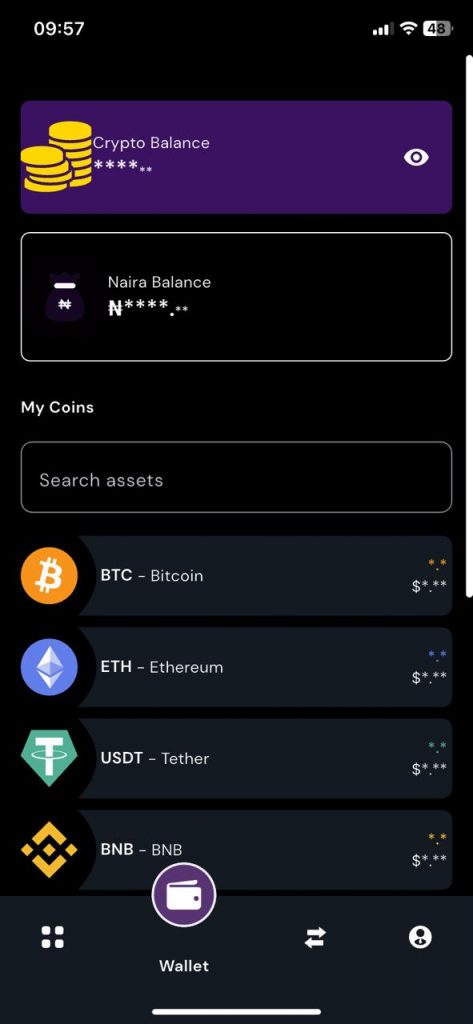
Step 3: Tap “USDT – Tether,” then tap “Receive”
Step 4: Next, you need to select the network. Currently, Exchanger101 supports the BEP20 and TRC20 networks, and you need to remember the network you choose for the transfer.
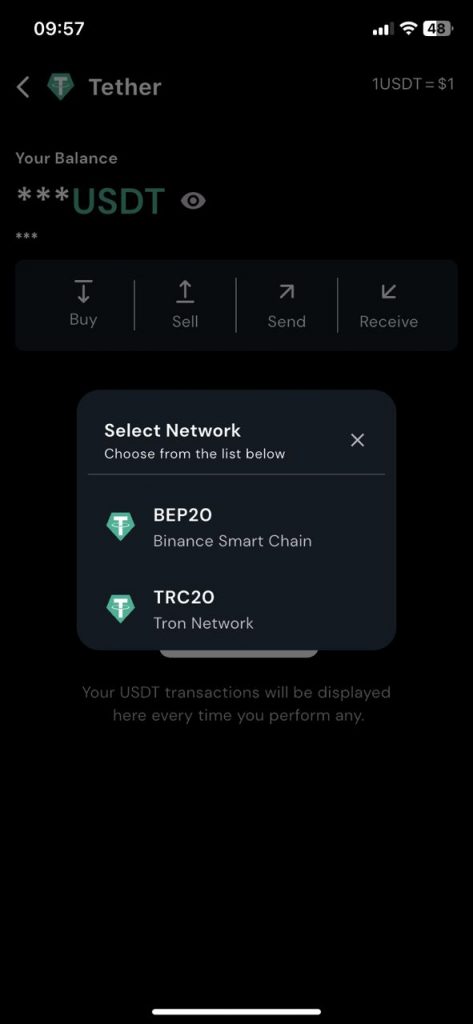
Step 5: Copy your wallet address, then head over to the external wallet app and send the coins.
NOTE: Remember to match the network on your external wallet to the network you chose on Exchanger101. A mismatch could lead to your funds being delayed, or not even getting to you. And in some cases, there might not be a way to get it back.
Step 6: Confirm your transfer, and your Exchanger101 wallet should be credited in a few moments.
How To Convert Your USDT Into Naira & Withdraw
Now that the funds are in your Exchanger101 wallet, your job is half done. You see? You didn’t need P2P to get the job done. Now, the next part is converting it into Naira and moving it into your bank account.
To do that, follow these steps:
Step 1: Head to your wallet and choose USDT
Step 2: Tap “Sell,” enter your amount, tap “Review,” and confirm your trade
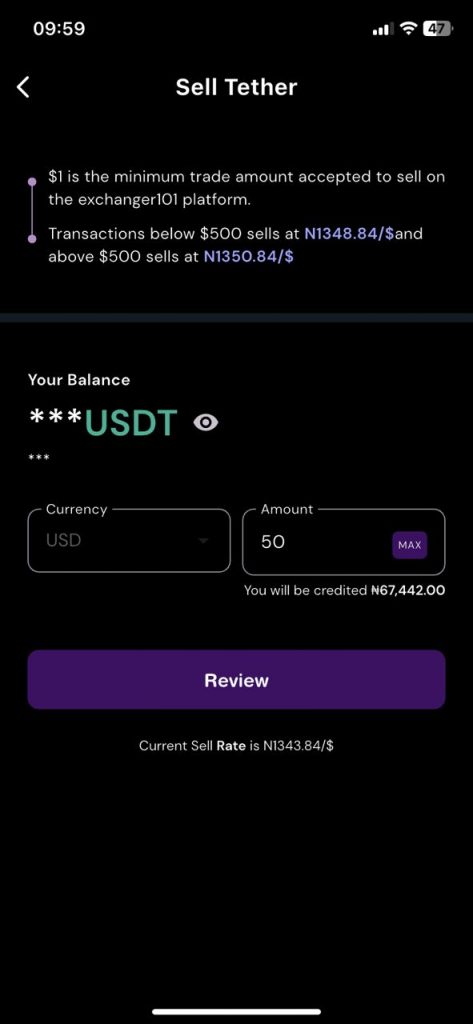
Step 3: The conversion will happen immediately, and your Naira wallet will be credited. No P2P, no problem!
Step 4: Next, head to the home page. You’ll see your new Naira balance
Step 5: Tap “Withdraw,” enter the amount, and enter your bank details
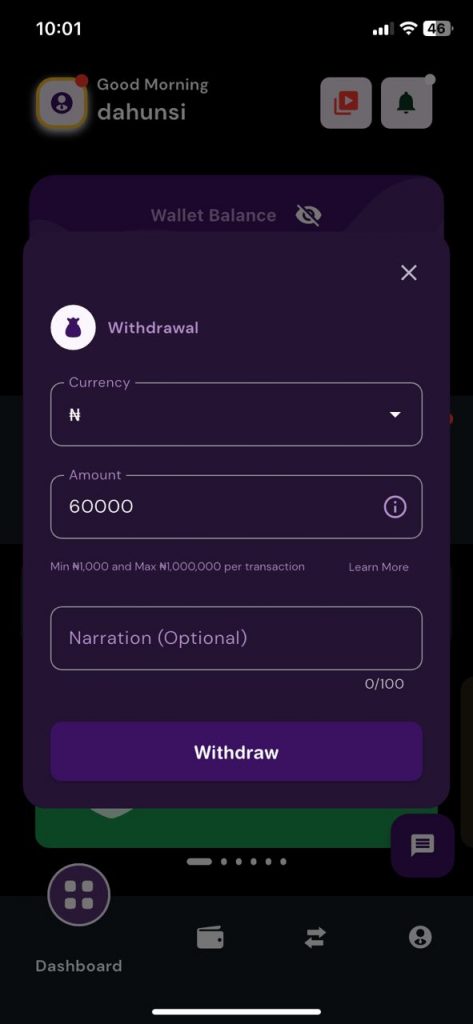
Step 6: Once the details are confirmed, enter your transaction PIN.
Your funds will be sent into your bank account immediately!
The entirety of this process takes about 5 to 10 minutes. And, remember; Exchanger101 doesn’t charge you for withdrawals, so you get to keep even more of your money!
So, who needs P2P? With Exchanger101, you can cash out of your stablecoins whenever, wherever!